
Table of Contents
Resource Reloading
You are able to support swapping sets of assets at runtime effortlessly. This could be used for swapping between low/high resolution assets, or switching themes. Let's work through an example of switching between high and low resolution assets.
Setting up a new project
To help you work through this tutorial, first create a new blank project using the init script.
The assets
Download these two sprite textures and save them to a data/texture/lowres folder in your project.


Download these two sprite textures and save them to a data/texture/highres folder in your project.


Setting up resources
Edit the config file and replace the Resource section with:
[Resource]
Texture = @ResourceLowRes
Sound   = @ResourceLowRes

[ResourceHighRes]
Texture = ../data/texture/highres
Sound   = ../data/sound/highres

[ResourceLowRes]
Texture = ../data/texture/lowres
Sound   = ../data/sound/lowres
This sets the texture and sound resources as a default to the lowres paths. Notice that sound is also defined, but we won't be covering sound in the tutorial.
Setting up the Buggy and Oil objects
Replace the Object section in the config with:
[Object]
Graphic         = @
Texture         = buggy.png
Pivot           = center
Compile and run. You will see the lowres buggy displayed on screen.
Add an Oil object for the car to avoid. Nice to have a second object. Add this to the config:
[Oil]
Graphic         = @
Texture         = oil.png
Pivot           = center
Position 	= (150, 60)
And add the Oil object to the scene with:
[Scene]
ChildList       = Object # Sound # Oil
Just for aesthetics, let's change the background color to contrast the darker object colors:
[MainViewport]
Camera          = MainCamera
BackgroundColor = (100, 64, 0)
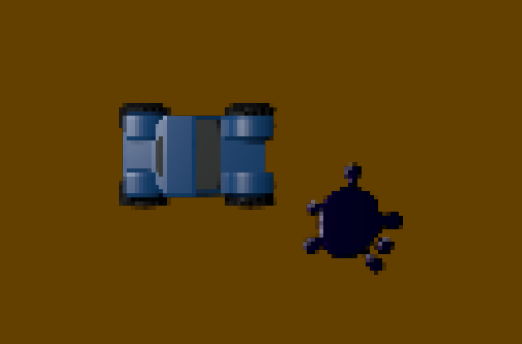
Swapping to high-res using Commands
While the app is running, press the ~ key (tilde) to open the Orx Console.
Enter the following commands to switch to the high resolution assets:
Resource.RemoveStorage Texture
This removes all storages for Texture.
Set Resource Texture @ResourceHighRes
Set the Texture property in the Resource section in the config to point to the ResourceHighRes section.
Resource.ReloadStorage
Reloading storages from the config.
Resource.Sync
As soon as the resource sync is triggered, all the currently used textures would be replaced. And the new texture not yet loaded would now come from data/texture/highres instead of data/texture/lowres.
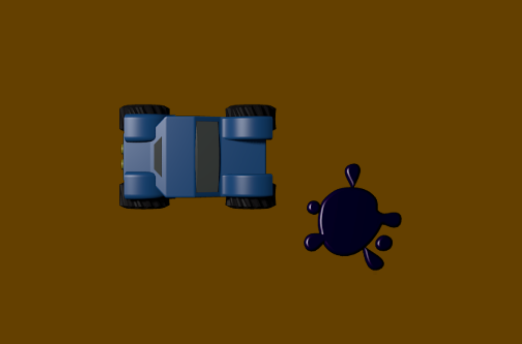
This works with any kind of resource, not just textures. And can be used to swap themes, for example.
Swapping to high-res using Code
In code it would be the same procedure. Add this to the end of the Init() function:
orxResource_RemoveStorage("Texture", orxNULL);  // Removes all the storages from the Texture group

orxConfig_PushSection("Resource");
orxConfig_SetString("Texture", "@ResourceHighRes"); // Switches to the high-res textures
orxConfig_PopSection();

orxResource_ReloadStorage(); // Reloads storages from config
orxResource_Sync(orxNULL); // Syncs all resources from all groups
Rules and Notes
- For this to all work, the resources themselves should have the same names, just located at different places (for example:
data/texture/highversusdata/texture/low). orxResource_Sync(const orxSTRING _zGroup);can be restricted to particular object groups if you wish.orxResource_RemoveStorage(const orxSTRING _zGroup, const orxSTRING _zStorage)can optionally be restricted to both a particular resource group and a particular resource storage.


